
Introducing Cargocat
Find the right file, see what’s inside, and get it where it needs to go.
Meet Cargocat, a desktop file manager for Amazon S3 and S3-compatible storage. Browse buckets beside local folders, move files with drag and drop, and peek inside without leaving the app.
Whether you’re uploading website images, checking a video or finding a report, Cargocat brings the work into one place.
Take a peek
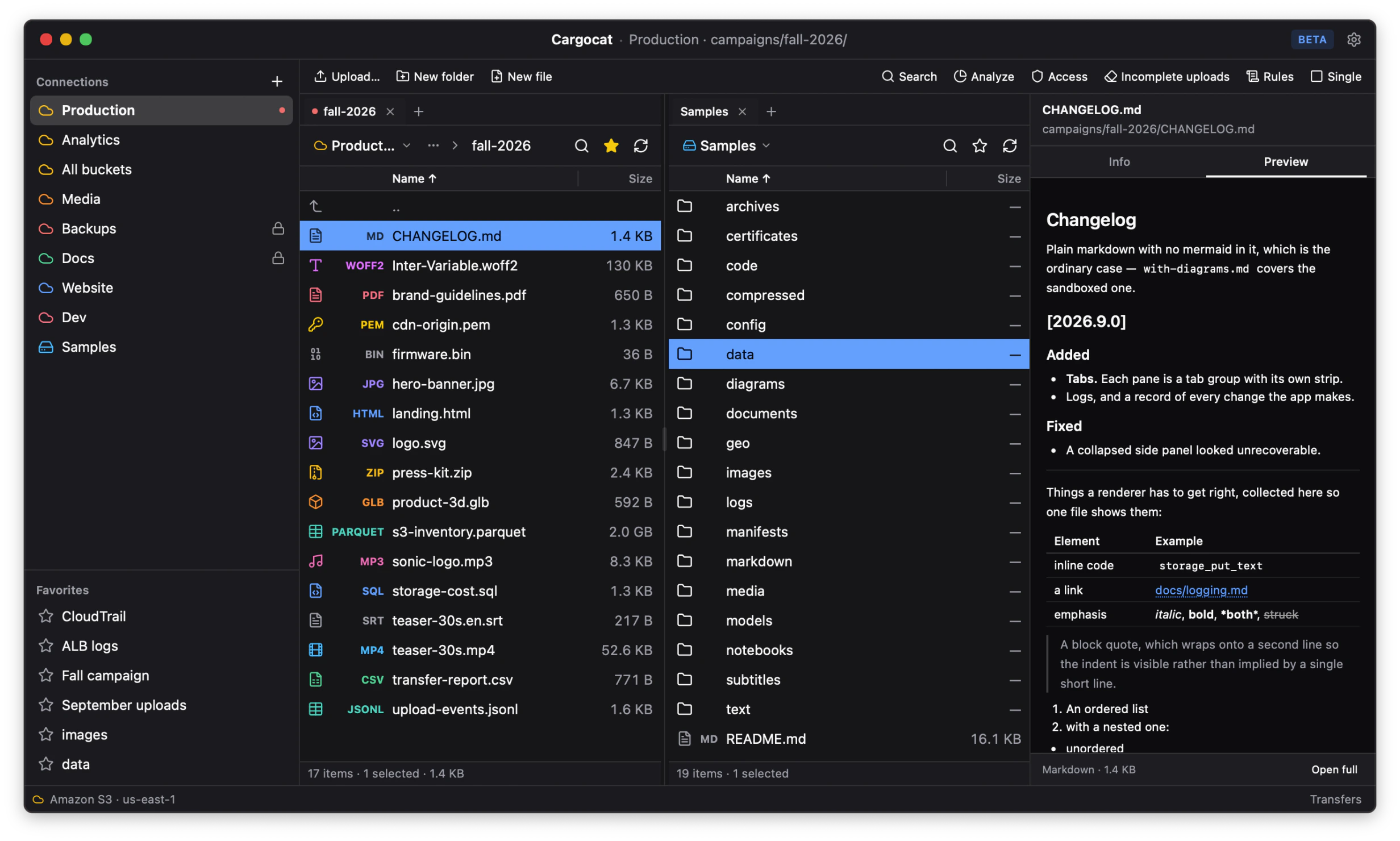
Check a photo. Scrub through a video. Read a PDF, browse a CSV as a table, or see what’s inside a ZIP.
Built-in previews open beside your files, so you can check what you’ve found before deciding what to download or share. For many formats, you can do that without downloading the whole file.
Transfers that pick up where they stopped
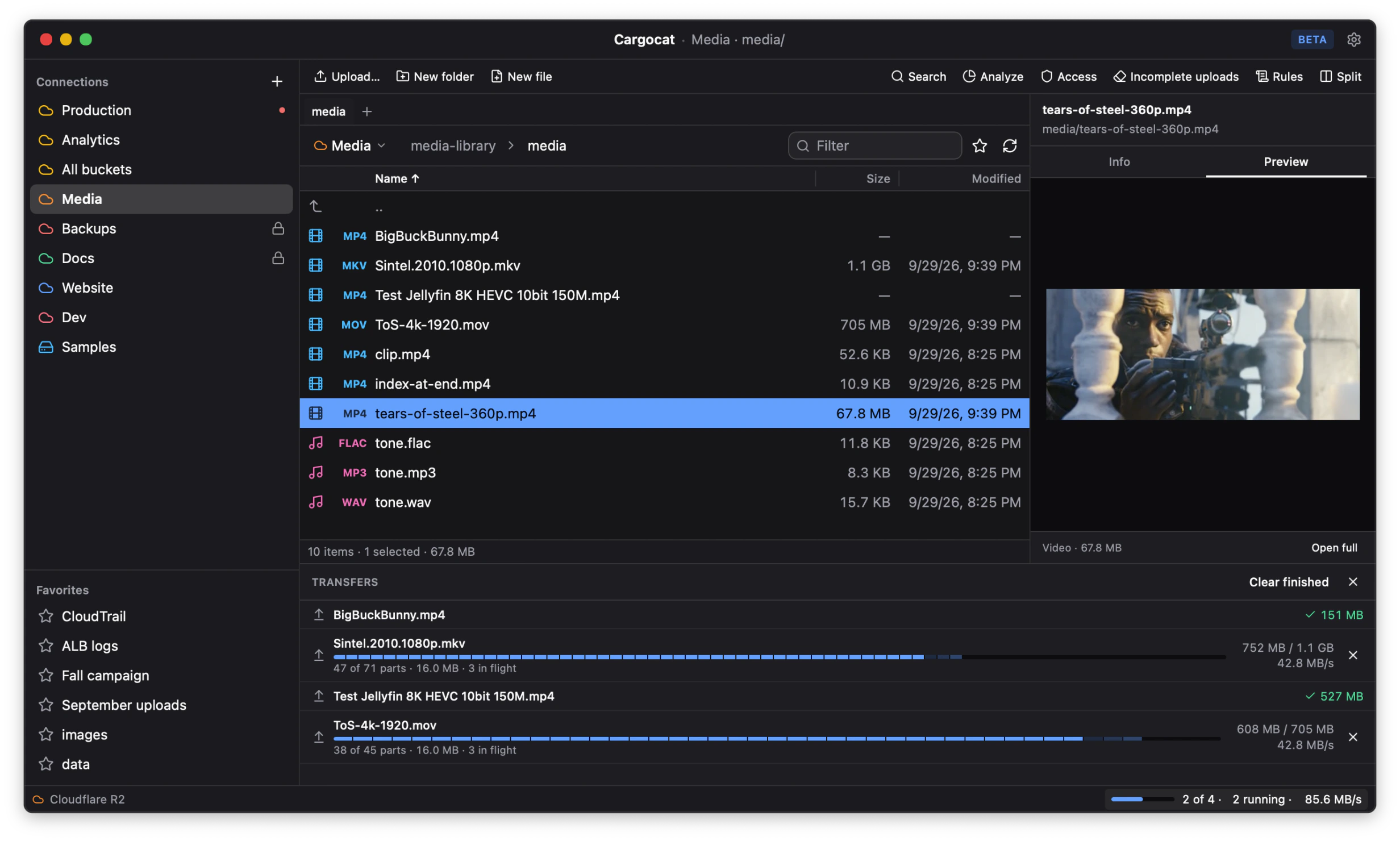
Open a local folder beside your bucket, then drag files between them to upload or download. Copy, rename and organize with familiar controls, and keep the places you use most open in tabs.
Uploads and downloads resume after an interruption, and Cargocat checks that what arrived matches what was sent. A bandwidth limit leaves room for everything else on your connection. Where supported, copies happen at the storage provider without passing through your computer.
You can also edit text right in the app and create expiring links to share files.
See what’s adding to the bill
Failed uploads can leave behind file parts that still cost money, even though they don’t appear in your file list. Cargocat finds those unfinished uploads so you can clear them out.
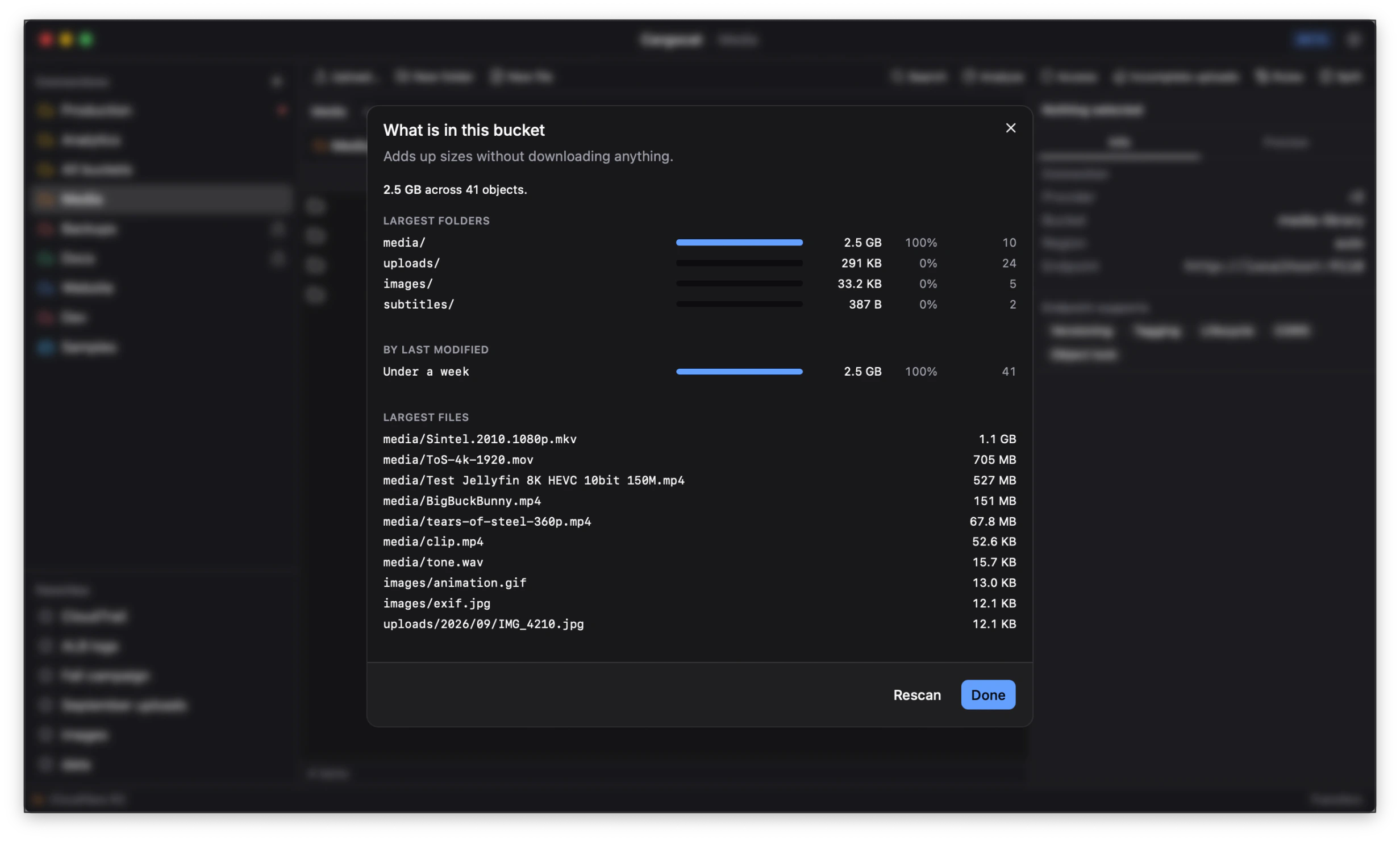
You can also see which folders and files take up the most space, helping you decide what’s worth keeping.
Your storage stays yours
Built-in connection presets include Amazon S3, Cloudflare R2, Backblaze B2, Wasabi and MinIO, with a custom option for other S3-compatible services. The provider guide covers setup and beta compatibility.
Use an AWS profile already configured on your computer, or credentials supplied by your environment. If you enter access keys directly, they’re kept in your computer’s secure credential store.
Your files travel between your computer and your storage provider, without passing through our servers.
Come have a look
Cargocat is free during the public beta for macOS and Windows, with experimental Linux builds. No account or license key is required.
Try it in your browser to explore a sample bucket, or download Cargocat and bring your own.
For help getting started, the docs cover setup, previews and transfers.
We’d love to hear what you think.